
In today’s digital world, computer skills are no longer optional. Whether you are a student, job seeker, business owner, or working professional, having basic computer knowledge can help you perform everyday tasks more efficiently. From creating documents to communicating online, computers have become an essential part of education, business, and daily life.
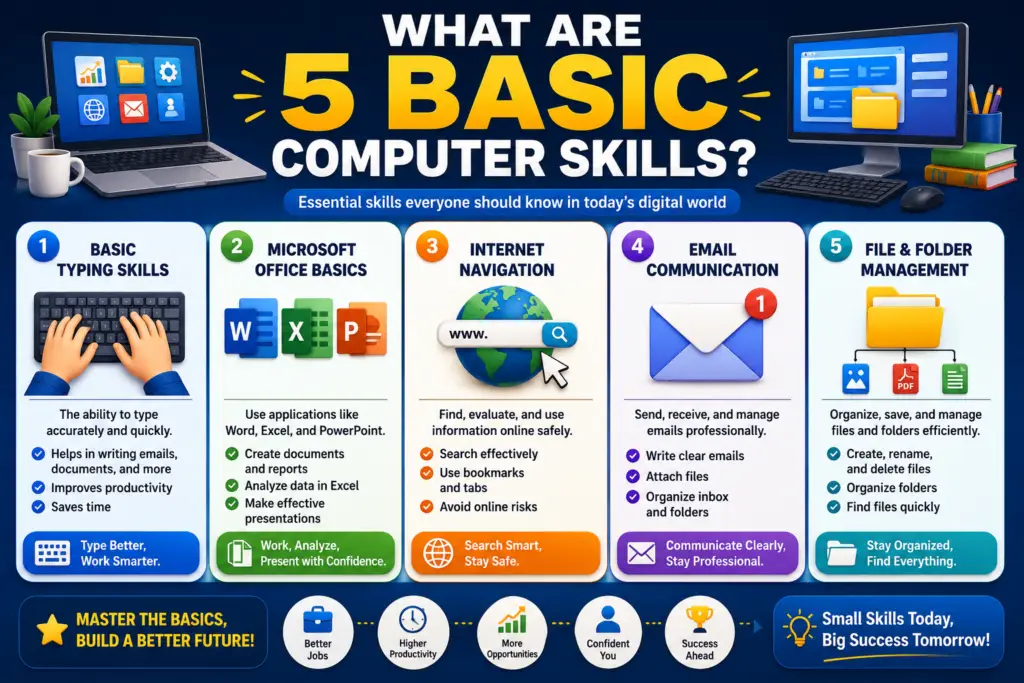
Many people ask, “What are the five basic computer skills?” These foundational skills help users confidently operate computers and use digital tools for personal and professional purposes.
In this article, we will explore the five basic computer skills everyone should learn and why they are important in the modern workplace.
Why Basic Computer Skills Matter
Technology influences almost every industry today. Employers often expect candidates to have a basic understanding of computers, regardless of the job role. Even simple tasks such as sending emails, creating documents, or searching for information online require computer literacy.
Learning basic computer skills can help individuals:
- Improve productivity
- Access online learning resources
- Communicate effectively
- Apply for jobs online
- Manage personal and professional information
- Adapt to changing technology
Developing these skills creates a strong foundation for advanced learning in fields such as digital marketing, graphic design, programming, and data analysis.
1. Operating a Computer and Managing Files
The first essential computer skill is understanding how to operate a computer and manage files effectively.
This includes:
- Turning a computer on and off properly
- Using a keyboard and mouse
- Understanding the desktop environment
- Opening and closing applications
- Creating, saving, and organizing files
- Managing folders and directories
- Copying, moving, and deleting files
File management helps users keep documents organized and easy to locate. Whether you are working on assignments, reports, or personal projects, knowing how to store and retrieve information is a critical skill.
Basic knowledge of operating systems such as Windows, macOS, or Linux also helps users navigate their computers more efficiently.
2. Using Word Processing Software
Word processing is one of the most commonly used computer skills in schools, offices, and businesses.
Popular word processing applications include:
- Microsoft Word
- Google Docs
- LibreOffice Writer
With word processing software, users can:
- Create documents
- Format text
- Insert images and tables
- Edit and proofread content
- Save and print files
- Share documents digitally
Students use word processors for assignments and reports, while businesses use them for proposals, letters, contracts, and documentation.
Understanding basic formatting features such as fonts, headings, spacing, and alignment can significantly improve document presentation and professionalism.
3. Internet Browsing and Online Research
The internet provides access to vast amounts of information, making online research a fundamental computer skill.
Internet browsing involves:
- Using web browsers like Chrome, Edge, Firefox, or Safari
- Visiting websites
- Searching for information using search engines
- Accessing educational resources
- Downloading files safely
- Using bookmarks and browser settings
Effective online research helps users find accurate information quickly. Students use it for academic studies, while professionals rely on it for industry updates, market research, and problem-solving.
Learning how to evaluate trustworthy sources and avoid misinformation is equally important when browsing the internet.
4. Email and Digital Communication
Email remains one of the most important communication tools in both educational and professional environments.
Basic email skills include:
- Creating an email account
- Sending and receiving messages
- Attaching documents and files
- Organizing emails into folders
- Using professional email etiquette
- Managing contacts
Popular email services include Gmail, Outlook, and Yahoo Mail.
In addition to email, digital communication may involve:
- Video conferencing platforms
- Instant messaging applications
- Online collaboration tools
Being able to communicate clearly and professionally through digital channels helps individuals build stronger relationships and improve workplace productivity.
5. Using Spreadsheet Software
Spreadsheet skills are valuable in many industries because they help users organize, analyze, and manage data.
Common spreadsheet programs include:
- Microsoft Excel
- Google Sheets
- LibreOffice Calc
Basic spreadsheet tasks include:
- Entering data
- Creating tables
- Performing simple calculations
- Using formulas
- Organizing information
- Creating charts and graphs
Spreadsheets are commonly used for:
- Budget management
- Attendance records
- Inventory tracking
- Financial calculations
- Business reporting
Even a basic understanding of spreadsheets can make daily tasks more efficient and improve decision-making.
Additional Computer Skills Worth Learning
While the five skills above form the foundation of computer literacy, there are several additional skills that can further enhance digital competence.
Basic Cybersecurity Awareness
Users should know how to:
- Create strong passwords
- Recognize phishing scams
- Protect personal information
- Use antivirus software
- Browse safely online
Cybersecurity awareness helps reduce the risk of data theft and online fraud.
Cloud Storage Usage
Cloud services allow users to store and access files online.
Examples include:
- Google Drive
- OneDrive
- Dropbox
Cloud storage makes collaboration and remote access easier.
Presentation Skills
Presentation software such as Microsoft PowerPoint and Google Slides helps users create professional presentations for educational and business purposes.
Online Collaboration Tools
Many organizations use collaboration platforms that allow teams to communicate and work together remotely.
Examples include:
- Microsoft Teams
- Zoom
- Google Workspace
These tools are becoming increasingly important in modern workplaces.
Benefits of Learning Basic Computer Skills
Developing computer skills offers numerous advantages.
Better Employment Opportunities
Many employers require basic computer knowledge for entry-level and professional positions.
Increased Productivity
Computer skills help users complete tasks faster and more efficiently.
Improved Communication
Digital communication tools make it easier to connect with colleagues, clients, teachers, and friends.
Access to Online Learning
Students can access courses, tutorials, and educational resources from anywhere in the world.
Career Advancement
Strong computer literacy often serves as a stepping stone toward learning advanced technical skills and pursuing higher-paying careers.
How to Improve Your Computer Skills
If you are new to computers, start with simple tasks and gradually build confidence.
Some effective ways to improve include:
- Taking computer training courses
- Watching online tutorials
- Practicing daily computer tasks
- Learning keyboard shortcuts
- Exploring software applications
- Participating in hands-on projects
Consistency is the key to developing strong digital skills.
Conclusion
The five basic computer skills everyone should learn are operating a computer and managing files, using word processing software, internet browsing and online research, email communication, and spreadsheet usage. These foundational skills help individuals succeed in education, employment, and everyday life.
As technology continues to evolve, computer literacy has become an essential requirement rather than a desirable skill. By mastering these basics, individuals can improve productivity, expand career opportunities, and confidently navigate the digital world.
Whether you are a student preparing for future studies or a professional looking to enhance workplace performance, investing time in learning basic computer skills is one of the smartest decisions you can make.